TikTok Video Downloader
Download videos from public TikTok links without logging in. Save only videos you have permission to use.
Download videos from public TikTok links without logging in. Save only videos you have permission to use.
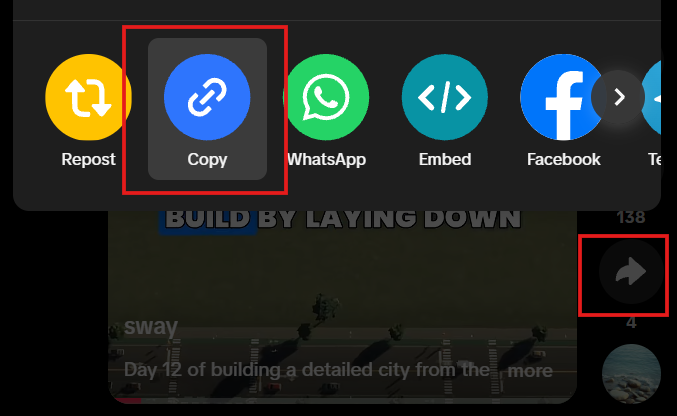
Open TikTok and tap Share on a public video.
Tap Copy link.
Paste the link here and get the video.
Download the available video, and use it only if you have permission.
Clear by design
Use a link to a public TikTok video. Private, protected, or otherwise restricted videos aren't supported.
No. Never enter your TikTok password or submit private videos. Only public video links are supported.
Download links are temporary. Save the video while the link is available.
Only public videos available for download are supported. Save and use a video only when you have permission to do so.